Skip to content

Reconnect an integration

Restore a connection that has expired or errored.

(updated 26 October 2026)1 min read

Reconnect an integration: overview

A connection that needs attention can offer a recovery action. You can review the issue and resulting status without disconnecting a working source merely to repeat setup.

Steps

  1. Go to Connections.
  2. Select Reconnect on the row of the integration that needs attention.

Screenshots
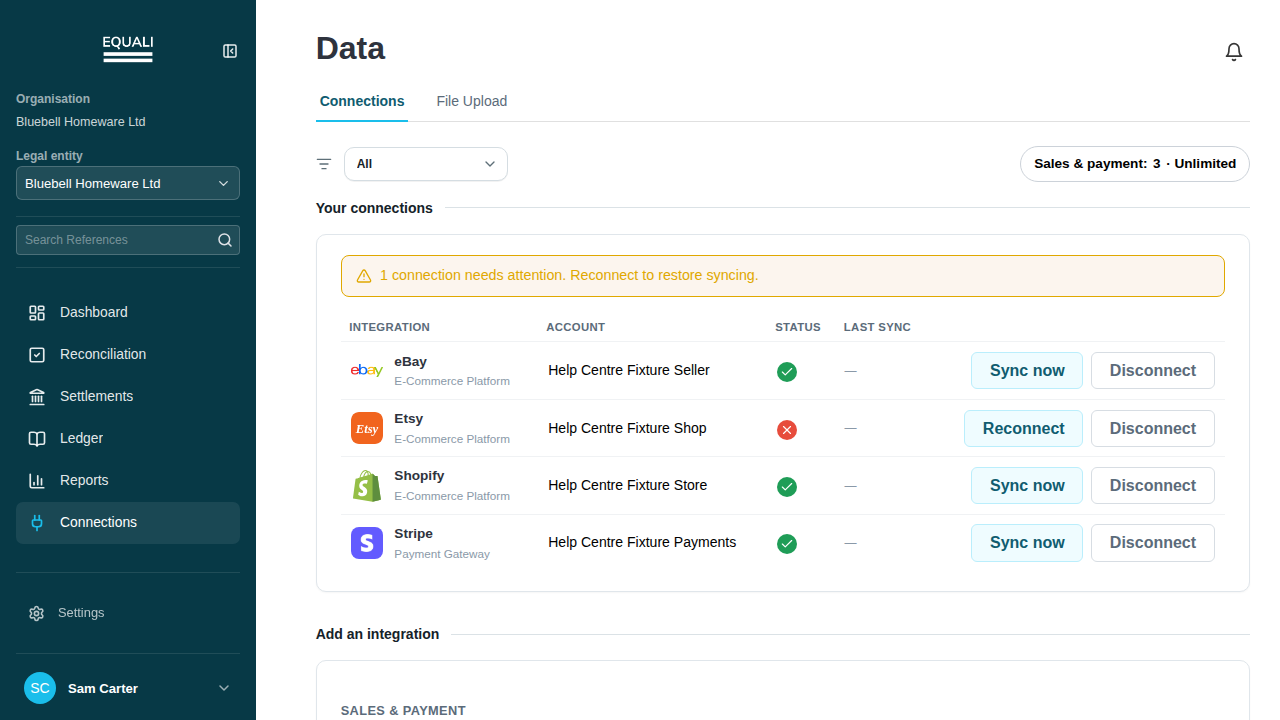
connection row attention banner

Already an Equali customer? The full Help Centre is inside Equali, under Help.Sign in

Stop chasing reconciliations in spreadsheets

Connect your channels and providers, and let Equali reconcile, categorise and post every transaction. Start free, or see it on your own data.

Equali

Book a demo

Choose a time and tell us what you’d like to cover. Times are shown in your timezone.

Loading available times…

Other ways to book: